The original indicator
The starting point was an existing Pine Script indicator called 1R Bear Breakout Signals. It looked for bearish breakout bars using a few candle and market conditions, then marked possible signals on the chart.
One of those conditions was Internal Bar Strength (IBS). In simple terms, IBS tells us where the candle closed within its high-to-low range. A close near the low has a low IBS value. A close near the high has a higher one.
The original script also considered the candle's size, whether it was an inside bar, and extra filters such as volume and RSI. It helped identify potential bearish setups, but it wasn't following each setup to see whether price made enough progress afterward.
What was the expected modification?
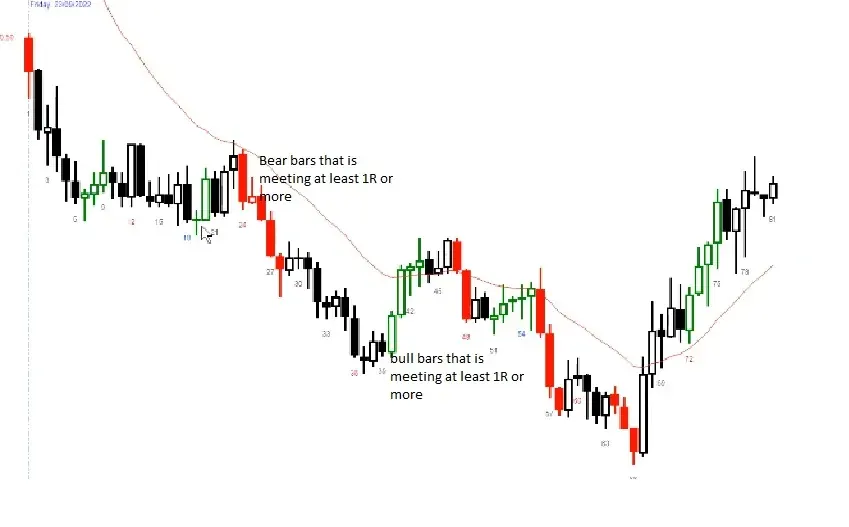
The idea was straightforward: when a qualifying bearish candle appears, remember it and check whether a later candle reaches a price level one full candle-range below its low.
Here, 1R is the trigger candle's high minus its low. The target is calculated from the low:
1R = Trigger high − Trigger low
Target = Trigger low − 1R
For example, if a bearish candle has a high of 110 and a low of 100, its range is 10. The 1R target is 90. The indicator checks the following candles for that level.
Not every red candle should become a trigger. We wanted to exclude inside bars, bullish bars, and weak bearish candles with closes too far from their lows.
Why some signals were missing
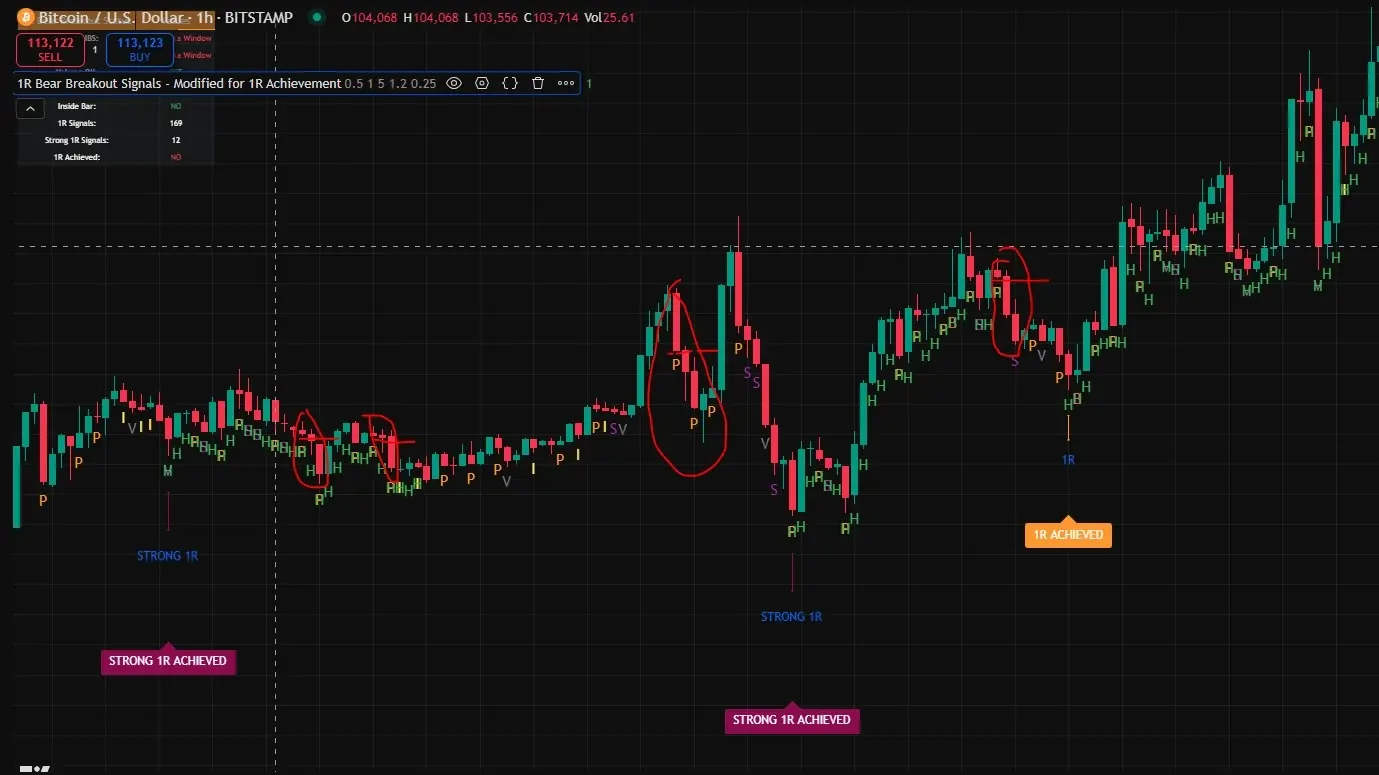
After trying the first version, we compared the labels with some marked chart examples. A few of the moves that looked like valid 1R setups weren't being captured.
Some bars failed one of the trigger filters. Sometimes the target level hadn't actually been reached. But there was another limitation: the first implementation only remembered the latest trigger. When a new breakout appeared, the previous one was forgotten.
That was a problem when several potential setups appeared before the first one had reached its target.
What I changed
The main improvement was multi-trigger tracking. The indicator can now remember multiple pending breakouts, rather than replacing the previous trigger every time a new one appears. Each pending target can be checked against the candles that follow.
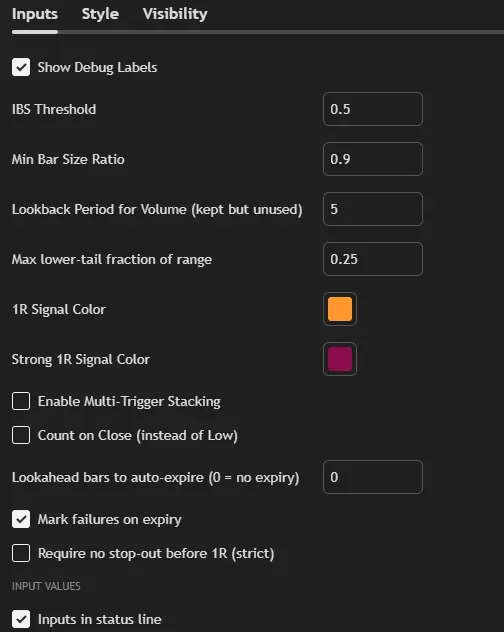
I also removed the volume filter, added an adjustable lower-wick limit, and introduced a few controls for what should count as a successful 1R move.
- 1R ACHIEVED: a later candle reaches the price target for a regular trigger.
- STRONG 1R ACHIEVED: the target is reached for a trigger that met the stronger breakout conditions.
- 1R FAIL: a pending target expires without being reached, when expiry marking is enabled.
- Multiple triggers: independently track more than one outstanding setup.
- Optional settings: count hits by a candle's low or close, set the target expiry period, or require that the trigger was not stopped out first.
The supplied script still retains its RSI condition, but the volume filter is gone. Its inputs also let you adjust the IBS threshold and other trigger rules.
Why this version is more useful
A basic breakout indicator marks a potential setup. This version goes a step further and follows its outcome. Instead of manually measuring each trigger against the candles that followed, you can see 1R achievements and expired targets directly on the chart.
The biggest practical change is optional multi-trigger tracking. A new bear bar no longer has to replace the previous pending setup. Together with the stronger-breakout distinction, adjustable expiry, and low-or-close hit detection, that makes historical bearish follow-through easier to review.
The updated 1R Bear Breakout indicator
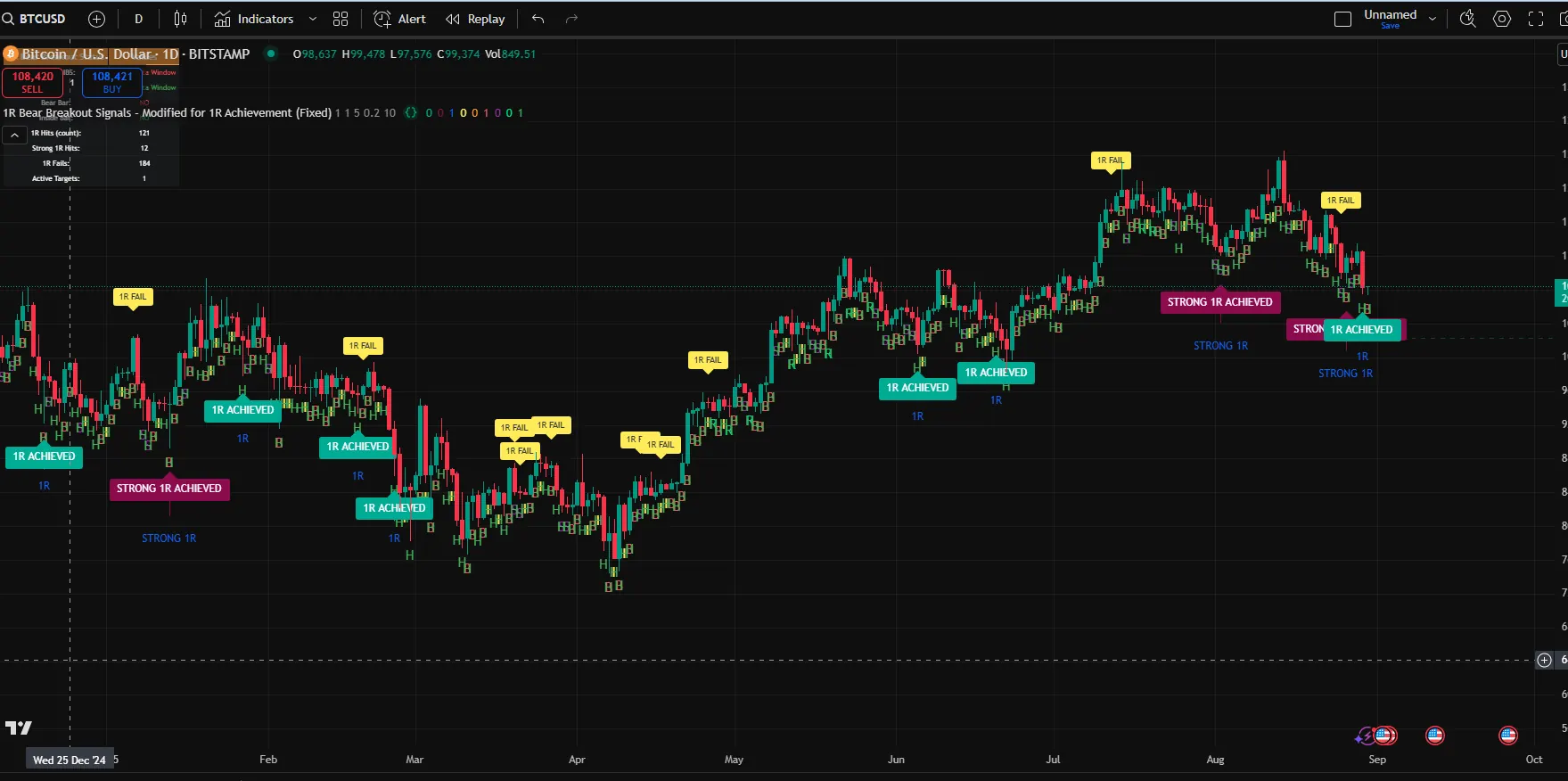
The updated version shows more than the original breakout signal. It can mark when the next part of the move reached the target and when a tracked setup expired. The Bitcoin daily screenshot at the top shows these labels applied to an actual TradingView chart.
The downloadable version uses Pine Script v6 and keeps the configurable trigger and target-tracking settings.
Download the full script for free
Download the complete 1R Bear Breakout Achievements indicator.
Download free Pine Script ↓Having issues with installation, chart configuration, or anything else related to the script? Feel free to contact me.